
Widgets
OSS Weather has six home screen widget types, from a simple current weather tile to hourly and daily forecasts.
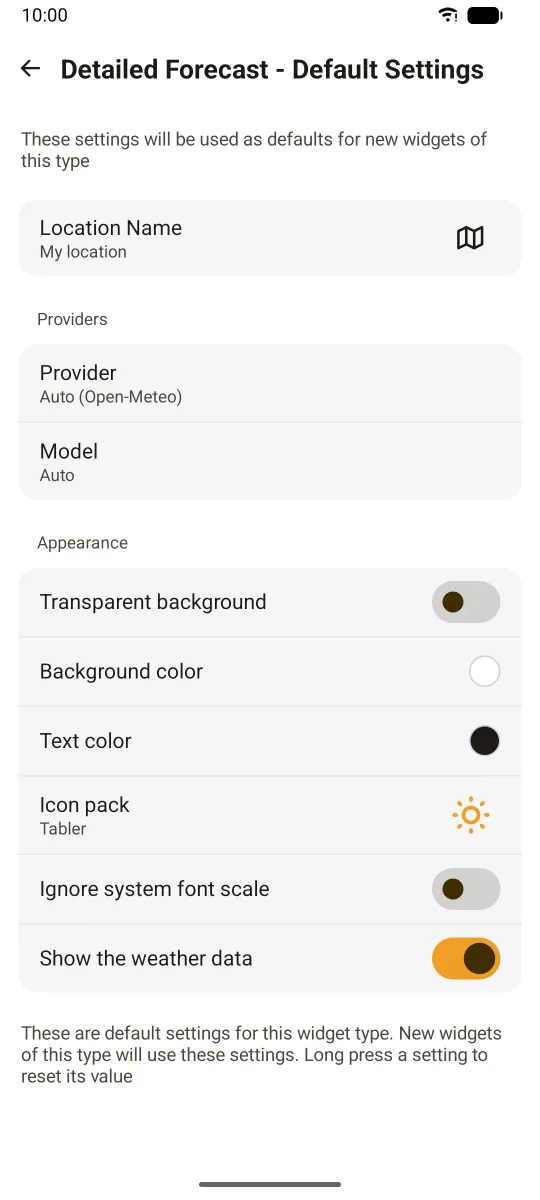
For the list of widgets, how to add them and how to configure them, see Home widgets.
Quick facts
- Each widget has its own location ("My location" or a place), provider, Open-Meteo model and icon pack, plus options like showing data chips.
- Settings > Widget settings (Android) sets defaults for each widget type, the update frequency for all widgets (15 minutes to 24 hours), and whether tapping a widget opens the app.
- Data chips in widgets follow the app's weather data settings (values, order, intensity).
- On iOS, widgets require iOS 18 or later.
For developers
Widget layouts are written once in JSON and turned into native code: SwiftUI for iOS (WidgetKit) and Jetpack Glance for Android, plus NativeScript views for the in-app previews. See the plugin-widgets README for the layout format, data binding and code generators.